Error messages that say what to do next
Rewriting error messages across Emirates NBD’s app and ATMs, in English and Arabic, so each one says what went wrong, who can fix it and what to do next.
Overview
Error messages appear at the worst moment: something has gone wrong, often in the middle of a payment or an application. Across Emirates NBD’s app and ATMs, I review, rewrite and translate error messages in English and Arabic.
The problem
Many error messages describe the system rather than the customer’s situation. They say a service is unavailable or a request can’t be processed, but not why, who can fix it, or what to do now. Some send customers to the wrong place, and some end with a single OK button that leaves the journey with nowhere to go.
In banking that costs twice: the customer gives up on the task, and then calls support about a problem support may not be able to solve.
My role
- Review error messages across journeys and rewrite those that are vague, misleading or missing a next step.
- Write the Arabic versions as Arabic, using UAE banking terminology.
- Keep every message consistent with the Emirates NBD UX Writing Style Guide.
The approach
Find out what actually triggers it
Before rewriting, I check with the product team what condition shows the message and who it affects. The UAE PASS message below is a good example: it reads like a problem with the customer’s bank account, but it’s really about their UAE PASS account. Getting that right changes every word that follows.
Point to whoever can fix it
If the fix sits with someone else, such as UAE PASS, the message says so. Sending customers to the bank for something only a partner can solve wastes their time and creates support calls nobody can close.
A good error message answers two questions: what happened, and what you can do now.
Always leave a way forward
Every error should end with an action: try again, go back, skip this step for now, or exit. On an ATM, where someone may be standing with a queue behind them, that matters even more.
Write the Arabic as Arabic
The Arabic screens aren’t translations of the English sentences. They’re written to read naturally in Arabic, with the layout mirrored for right-to-left reading.
The work
One message before and after, then a set of ATM error screens in both languages.
Signing with UAE PASS
Shown when a customer tries to sign the direct debit system form (DDS) with a UAE PASS account that isn’t verified, or is a visitor account.
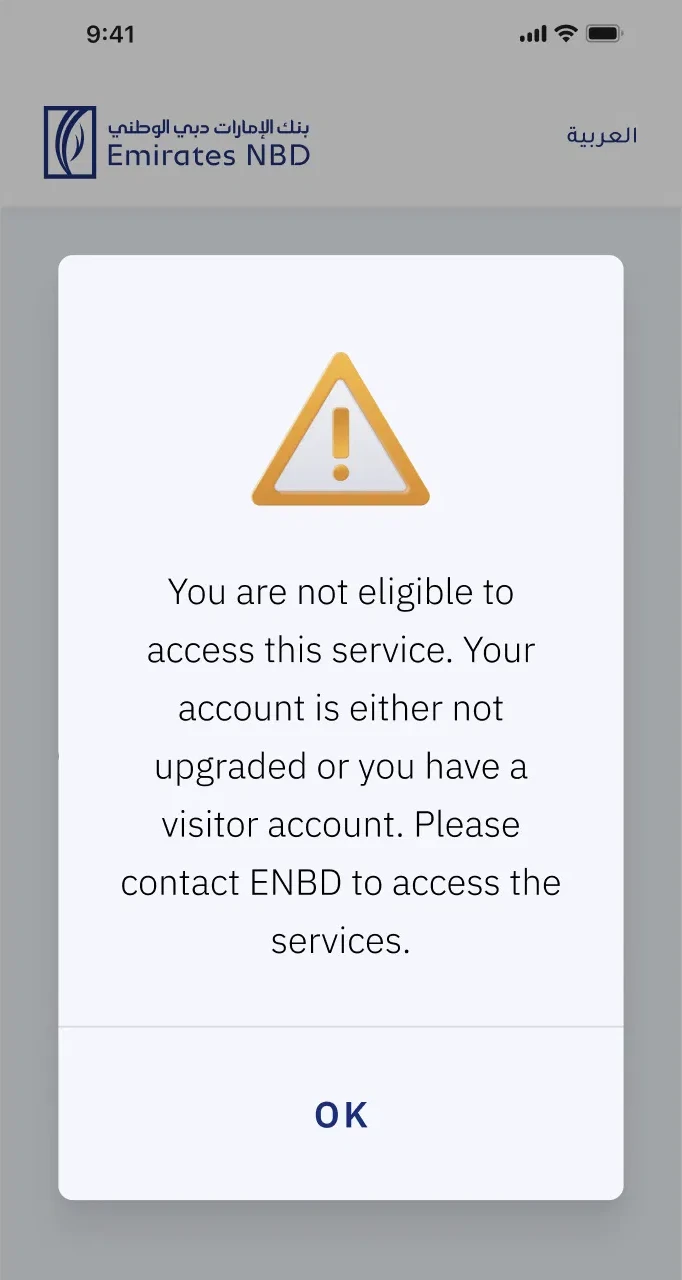
English: You are not eligible to access this service. Your account is either not upgraded or you have a visitor account. Please contact ENBD to access the services.
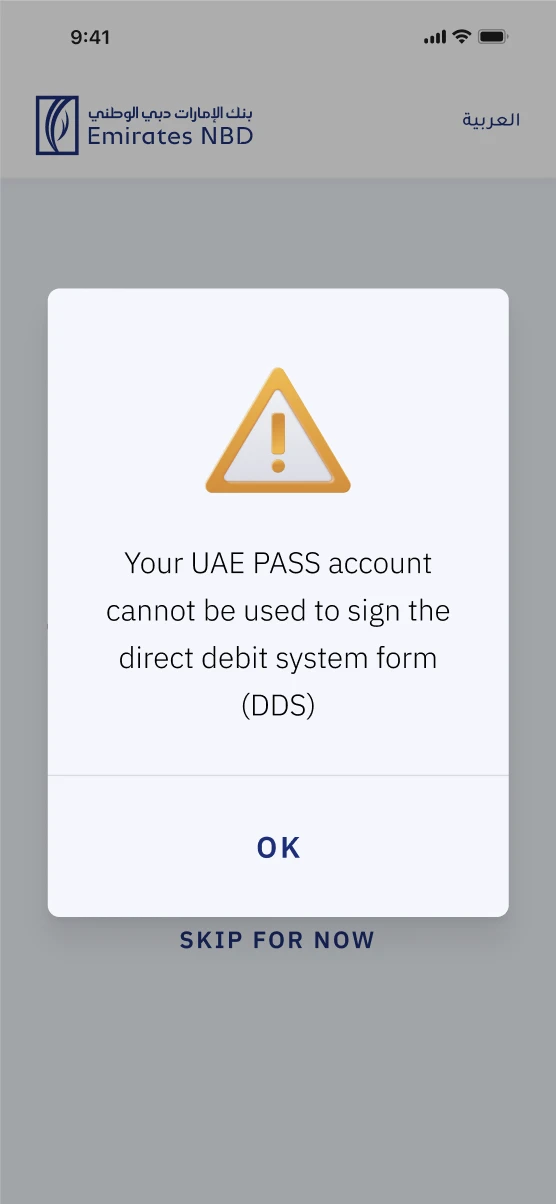
English: Your UAE PASS account cannot be used to sign the direct debit system form (DDS)
What changed and why
- Name the account that’s the problem
- “Your account” reads as the customer’s Emirates NBD account. The problem is their UAE PASS account, so the message now says so.
- Don’t send people to the wrong place
- “Contact ENBD” sent customers to the bank for something only UAE PASS can fix, which means support calls the bank can’t resolve. It also broke the style guide, which uses “Emirates NBD”, never “ENBD”.
- Say exactly what’s blocked
- Naming the DDS form tells the customer it’s only this signature that can’t go ahead, not their whole application. Skip for now stays on screen as the way forward.
- From 27 words to 15
- One clear sentence replaces three, with no “Please” and no vague “this service”.
ATM error screens, in English and Arabic
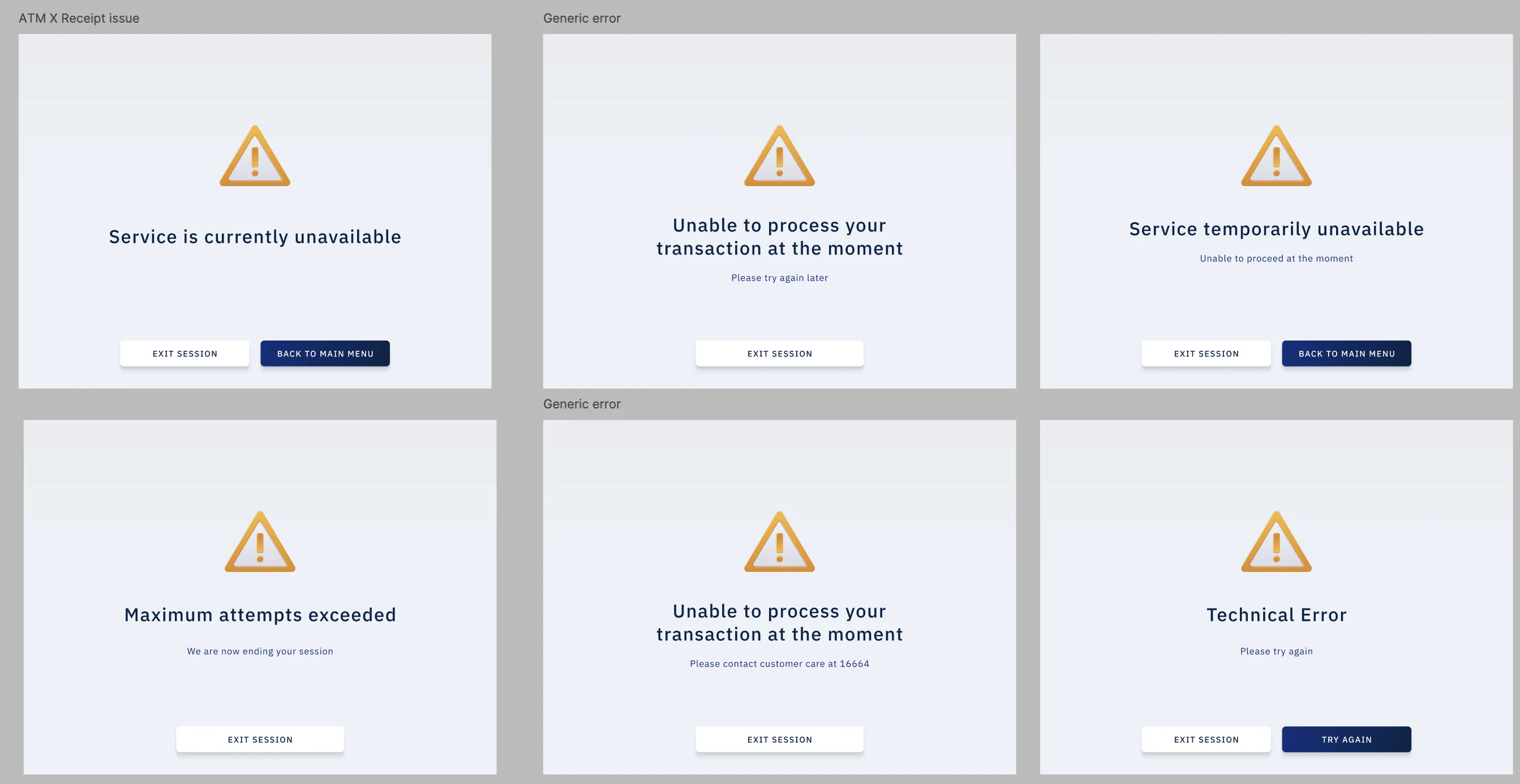
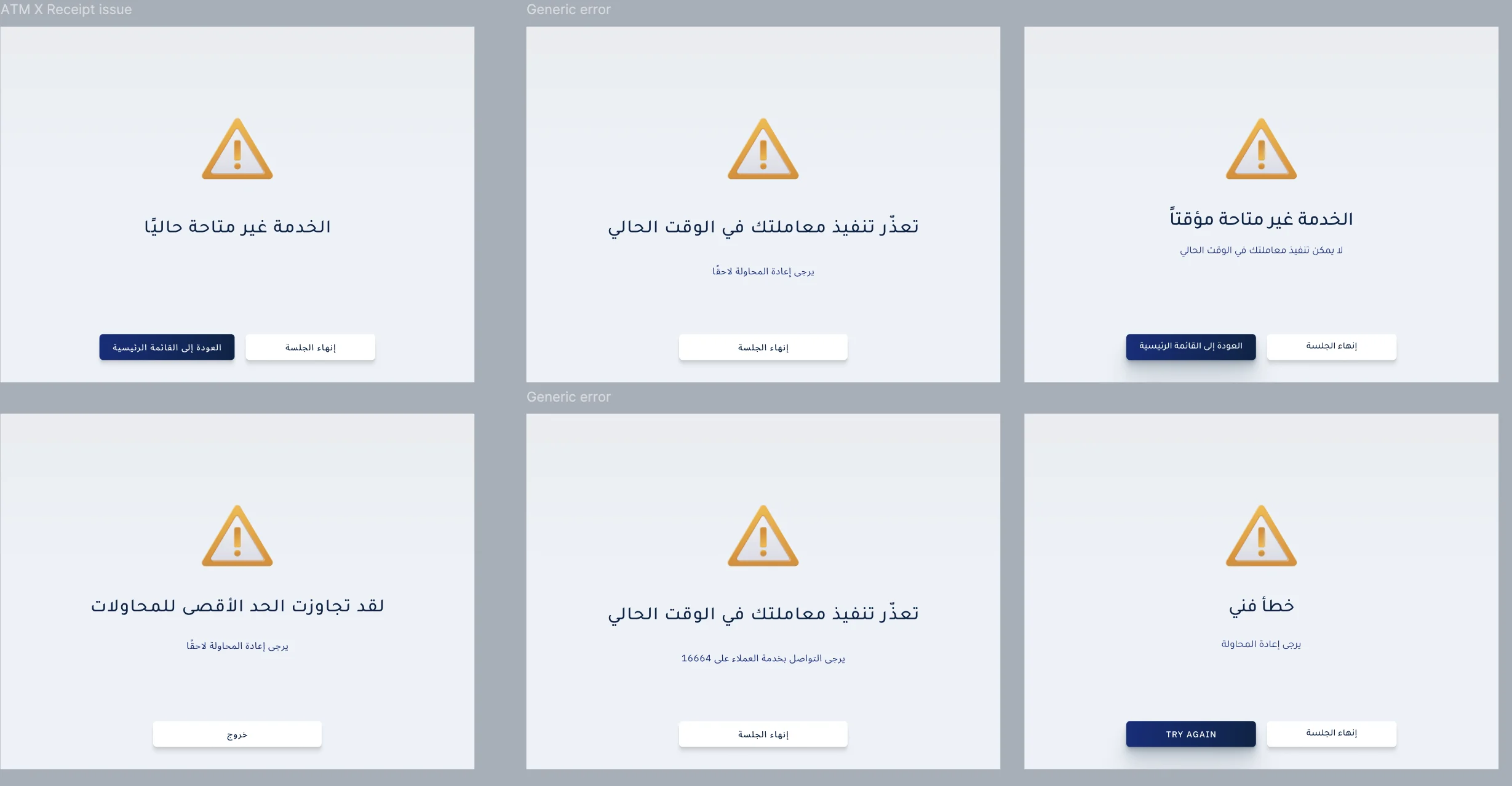
A set of ATM error screens, from a service being unavailable to too many attempts. Each one was written in English and Arabic.
About these screens
- A way out on every screen
- Each error ends with something the customer can do: exit the session, go back to the main menu or try again.
- Mirrored for Arabic
- The Arabic screens keep the same layout, read right to left, with the buttons in mirrored order.