A credit card application, from first screen to submission
UX writing for Emirates NBD’s unified credit card application for new customers: choosing a card, verifying identity, sharing work and income details, and knowing exactly where the application stands.
Overview
The unified credit card application is how new customers apply for an Emirates NBD credit card in the app. In one flow they choose a card, verify their identity, share their work and income details, and submit. I wrote and reviewed the English copy across the flow. The Arabic version is still to come.
Context
A credit card application asks a lot of someone who isn’t a customer yet: an Emirates ID, a selfie or UAE PASS, employment and income, tax residency, and agreement to the card’s terms. Each screen has to say what’s being asked and why, precisely enough for compliance and plainly enough that people keep going.
The status screens matter just as much. After each stage, the customer needs to know whether they’re finished or whether something is still waiting on them.
My role
- Wrote and refined the English copy across the application, from choosing a card to the final status screens.
- Reviewed screens against the Emirates NBD UX Writing Style Guide and fixed inconsistencies between them.
- Rewrote headings, helper text and status messages so similar screens are easy to tell apart.
The approach
Lead with what the customer needs to decide
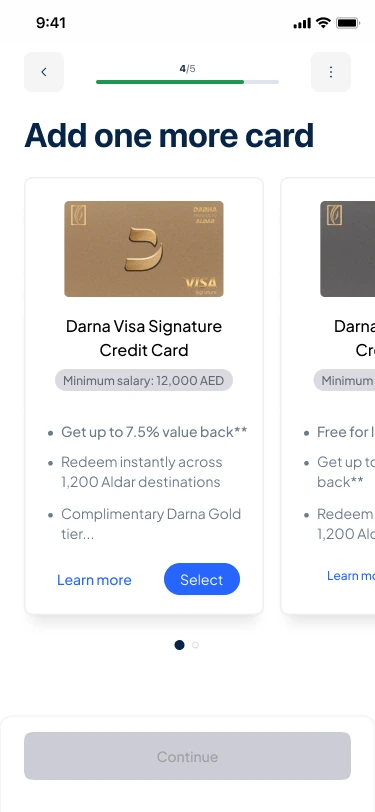
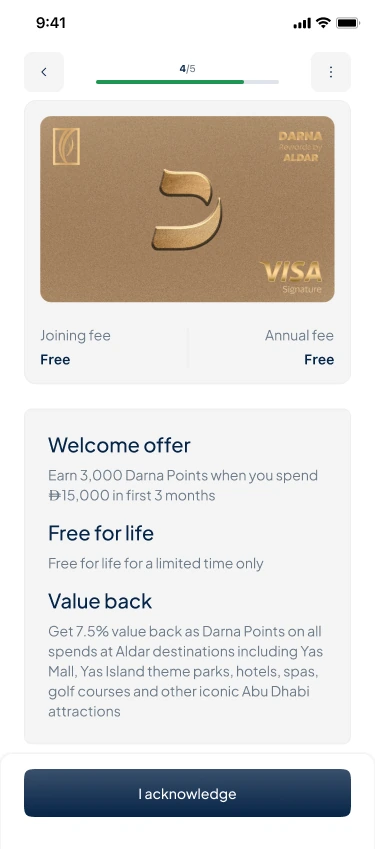
On the card screens, the first things a customer sees are the card, the minimum salary and three short benefits. The offer screen then puts fees first, before the welcome offer and rewards, so there are no surprises when they accept.
Explain why before asking
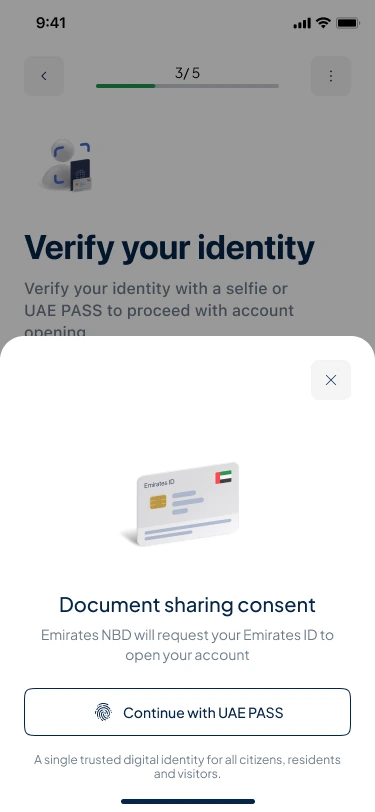
When the app asks for an Emirates ID, it says why in one line: Emirates NBD will request your Emirates ID to open your account. Asking for personal documents goes more smoothly when the reason comes first.
Help people find themselves in the options
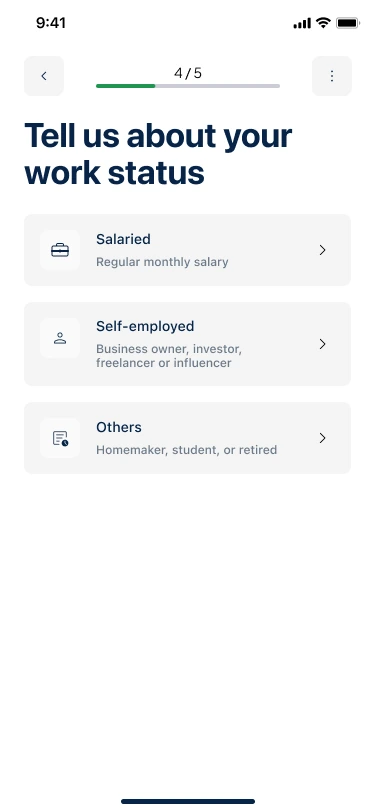
Each work status has a short line of examples, such as Business owner, investor, freelancer or influencer, so customers can pick the right one without guessing.
The status screen should answer one question: is there anything left for me to do?
Make it clear who acts next
Two status screens looked almost the same: one where the bank still needs something from the customer, and one confirming the application is submitted. Both sounded upbeat, so “Almost there…” could read as good news when the application was actually waiting on the customer. The revised heading says exactly what’s needed. The before and after is below.
The work
Screens from the application flow. It’s in English for now; the Arabic version hasn’t been written yet.
Choosing a card
Step 4 of 5: the customer compares cards, then reviews the one they picked before accepting it.
Verifying identity and work
Earlier steps: sharing an Emirates ID through UAE PASS, and choosing a work status.
When the bank needs more information
Shown when the customer has finished their part of the application, but the bank needs more details or documents before it can be submitted.
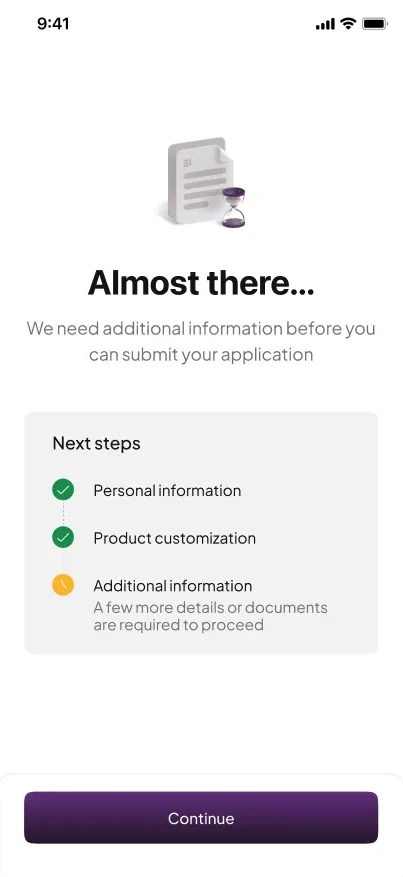
English: Almost there… We need additional information before you can submit your application Next steps Personal information ✓ Product customization ✓ Additional information A few more details or documents are required to proceed Continue
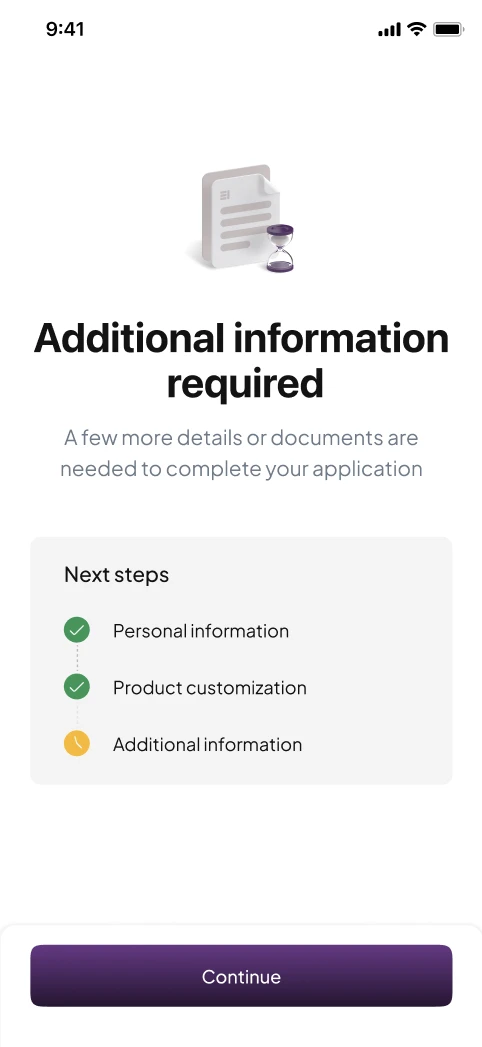
English: Additional information required A few more details or documents are needed to complete your application Next steps Personal information ✓ Product customization ✓ Additional information Continue
What changed and why
- Say which state this is
- “Almost there…” has the same upbeat tone as the success screen, but here the application is stuck until the customer acts. The heading now says what’s needed, so this screen can’t be mistaken for the one that confirms a submission.
- No trailing ellipsis
- The “…” made a clear instruction sound unfinished.
- Say it once
- The original made the same point twice, under the heading and again under the last step. The revised screen says it once, and the step list just shows progress.
- Complete, not “before you can”
- “Before you can submit” sounds like a restriction. “To complete your application” points at the goal.