A car loan application, step by step
UX writing and Arabic localization for Emirates NBD’s auto loan flow, a multi-step application where customers need to know where they are and what they’re agreeing to.
Overview
The auto loan flow is how customers apply to finance a car with Emirates NBD. I wrote and localized its copy.
Context
A loan application runs over several screens and ends in a financial commitment. Customers need to know how far along they are, what each number means, and what they’re agreeing to before they confirm. Every screen is written in English and Arabic.
My role
- Wrote and refined microcopy across the flow to reduce friction and support task completion.
- Localized the flow into Arabic using UAE banking and legal terminology.
- Validated and rewrote error messages so each one says what happened and what to do next.
- Kept every screen consistent with the Emirates NBD UX Writing Style Guide.
- Worked with product designers, UX researchers and developers to fit copy to the UI and its technical limits.
The approach
I based the wording on plain-language principles, user research and testing. The main decision on this step was to describe each path the way customers describe their own situation, so they recognize themselves in an option rather than having to work out what a product term means.
The work
Screens from the auto loan flow.
Choosing how to continue
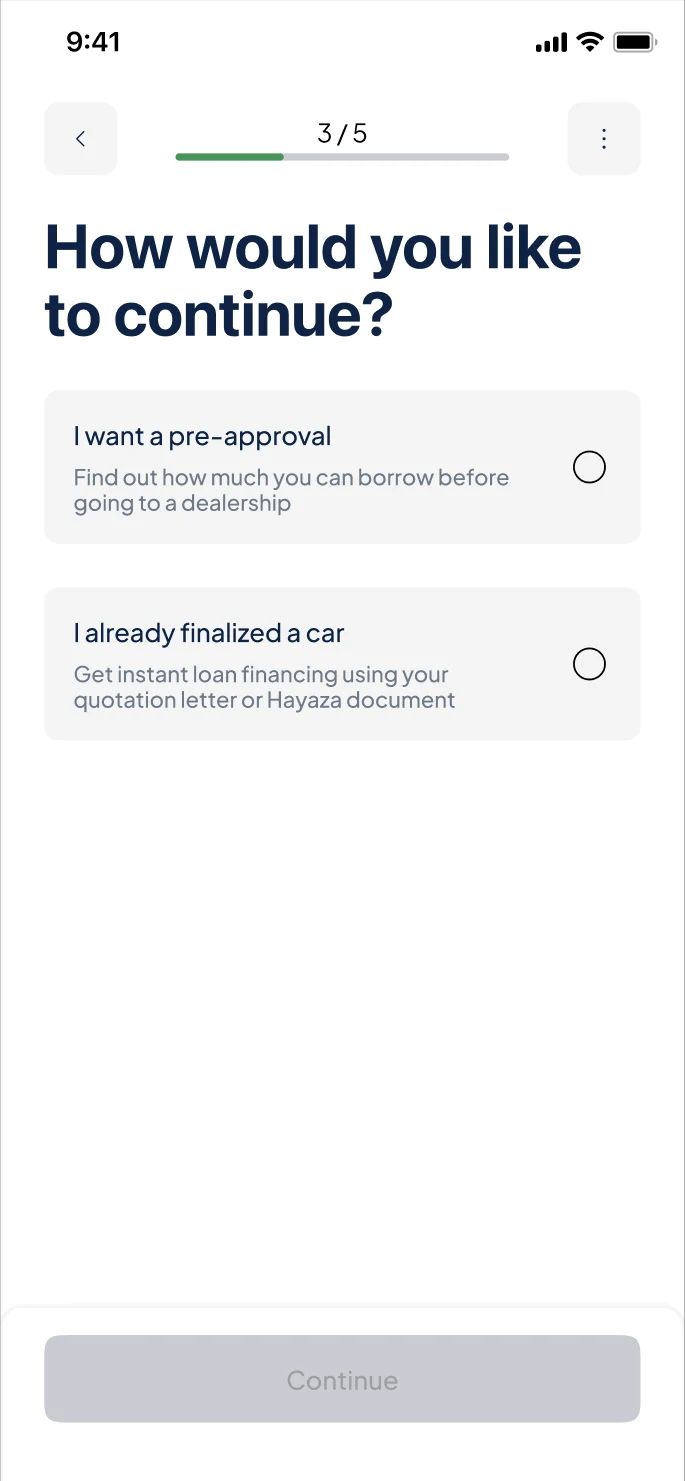
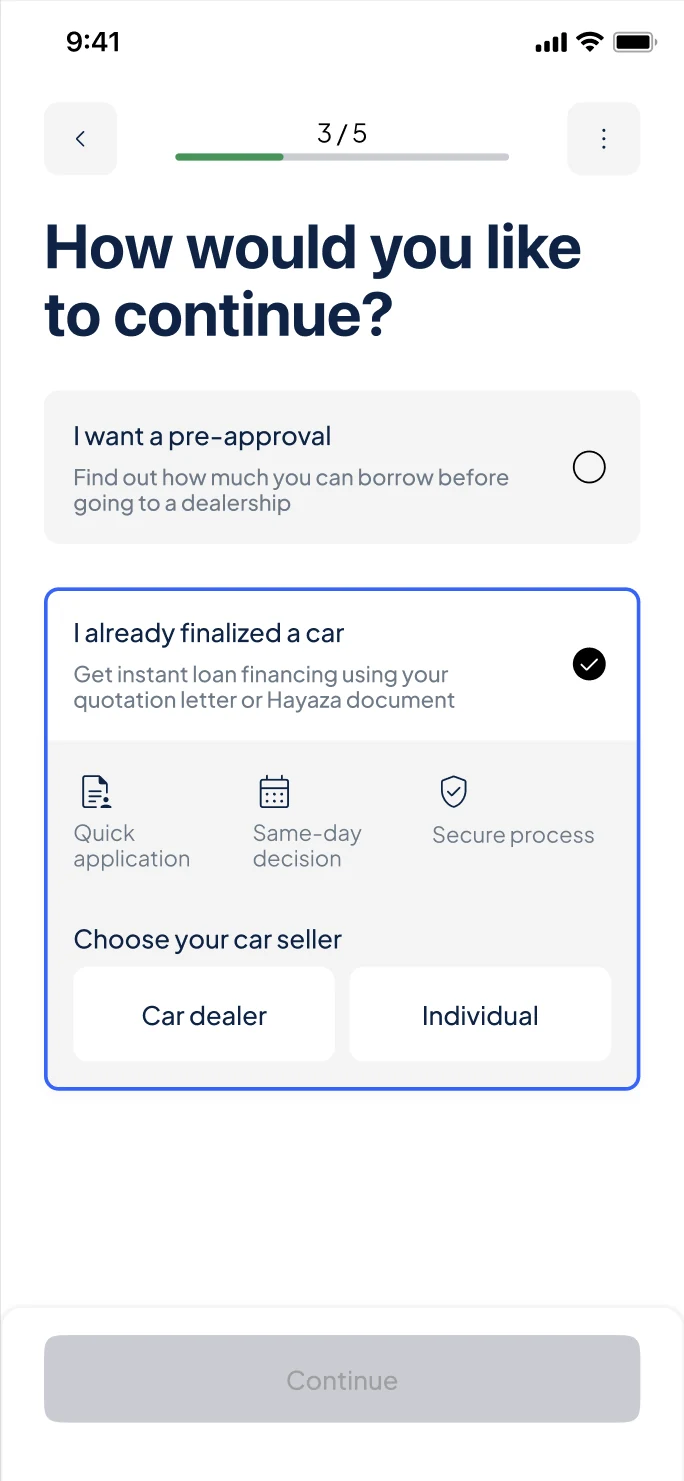
Step 3 of 5. Customers choose between getting a pre-approval and financing a car they’ve already chosen. Selecting the second option shows what to expect and asks who is selling the car.
How I chose the wording
- Write the options in the customer’s words
- “I want a pre-approval” and “I already finalized a car” are phrased the way customers describe their own situation. People pick the one that matches where they are, instead of decoding a product name.
- Say what each path gives you
- Each description leads with the benefit and when it fits: find out how much you can borrow before visiting a dealership, or get financing now for a car you’ve already chosen.
- Name the documents up front
- Mentioning the quotation letter and Hayaza document before the customer commits tells them what they’ll need, so nobody starts the faster path without it.
- Reassure at the moment of choice
- Choosing an option reveals three short points: Quick application, Same-day decision and Secure process. They answer the questions about speed and safety that come up right before applying.
- Ask one thing at a time
- “Choose your car seller” only appears once the path is chosen, so the screen never asks two questions at once.